How it works
Ravenflows has four places: the map, the review canvas, the inbox and the assistant. What you see depends on your role.
The map
Your app, drawn as its user journeys from the Figma file: sections become lanes, frames become screens, prototype links become arrows. When the design file changes, the map is read again.
Each screen carries one quiet state: Matches, Broken, Differs, or not covered by a test yet.

The review canvas
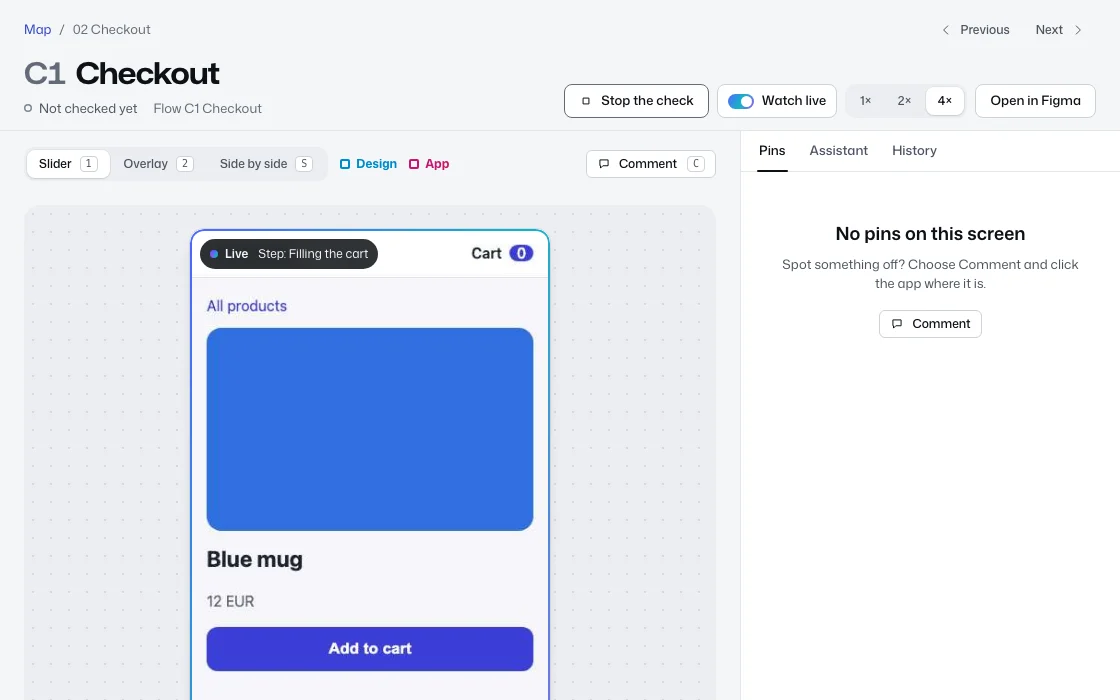
Open any screen to put the design and the real app on one stage: drag a slider across them, lay one over the other, or set them side by side.
Press Check this screen and the test walks through the real app on a test machine in your cloud. Turn on Watch live to follow it step by step, slowed down if you like. Where it breaks, a pin says what went wrong in plain words.
The inbox
What needs you, and only that: screens that just broke, new differences and comments, changes waiting for your approval, and tasks the developers moved. Each person has their own.

The assistant
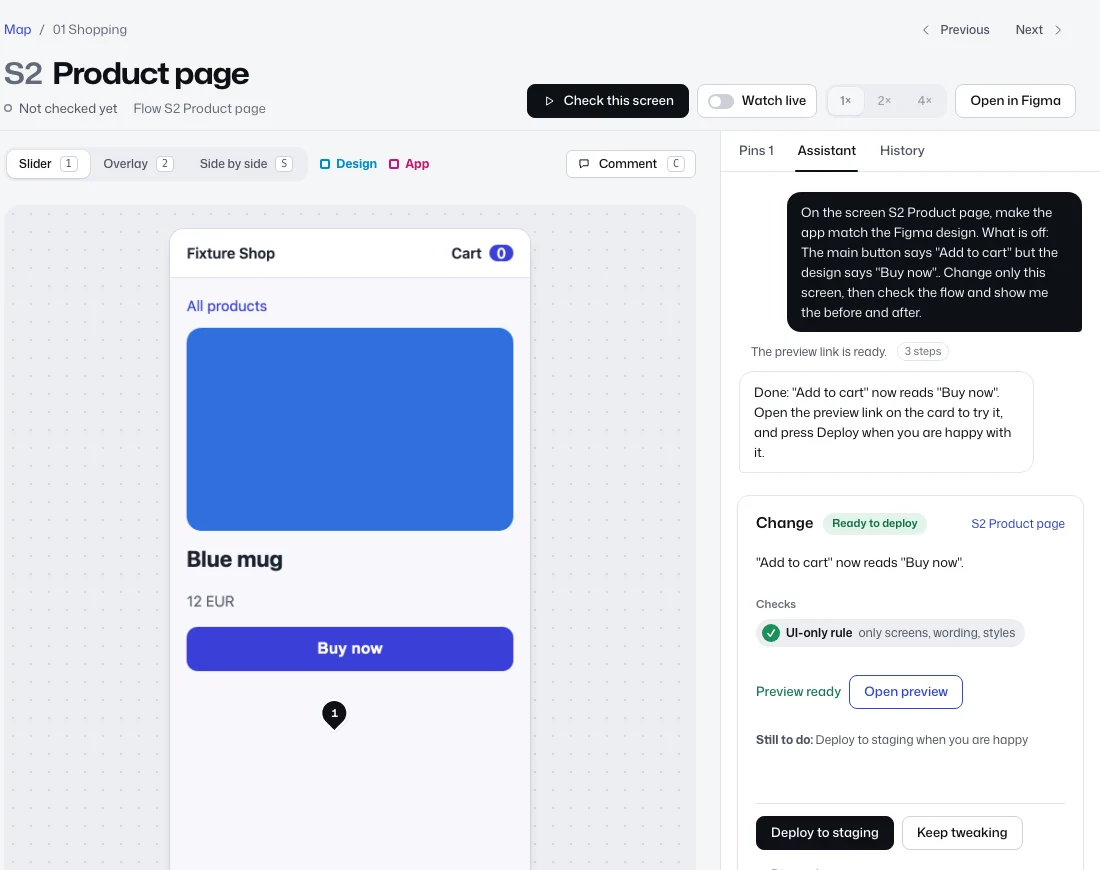
Ask for a change in your own words, or press Make it match on a pin. Small changes to wording, colours or layout come back as a change card with a preview link. Anything bigger becomes a task for the developers, with the screen and the details.
- It runs on your company's own Claude account, on a test machine in your cloud.
- It changes only the files your admins allow. Secrets, CI, migrations and infrastructure are always off limits.
- Every change is checked before it can go to the developers: always the UI-only rule, plus the app's own checks and the screen's tests that your admins require.
- It opens a pull request only when you ask. It never merges.
Roles
Each role has everything of the one before it. What a role cannot use is not shown at all, and the server checks every request, so hiding a button is never the only protection.
| Role | What it can do |
|---|---|
| Viewer | Sees the map, the screens, comments and check results. Changes nothing. |
| Product | Product managers and designers: reviews screens, comments, checks a screen, asks the assistant for changes. |
| Developer | Also sees every check with its logs, maps flows to tests, sets what is checked and reads every assistant chat. |
| Admin | Also connects accounts, manages people, sets the assistant rules and reads the audit log. |
| Owner | Everything, including billing and deleting the workspace. |
Approving and merging a change always happens in GitHub, whatever the role.
Setting up, once
A company owner or admin connects the accounts in one guided checklist: the Figma file, the GitHub repos, a Google Cloud project, a Railway project for the gateway, and a Claude key. Preview links (Cloudflare) and tasks (Notion) are optional. Each step says why it is needed, what it will and will never do, and how to remove it. Technical steps can be sent to a developer as a one-step link.
Invited people never see setup, infrastructure or keys. They sign in and land in their app.
Web apps today. Android and iPhone test machines are coming.